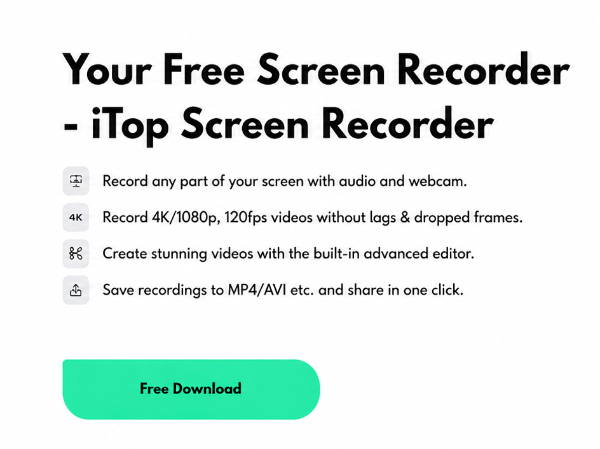
In today’s fast-moving digital world, video communication has become more important than ever. People no longer rely only on written instructions or static images to understand information. Instead, they prefer visual content that is easier to follow and more engaging. This is where screen recording technology plays an important role. Tools like iTop Screen Recorder and other screen recorder applications have made it simple for users to capture their screen activities and turn them into useful videos.
From online education and business communication to gaming and content creation, screen recording has become an essential part of daily digital workflows.
The Growing Role of Screen Recording in Everyday Technology
Screen recording is now widely used across different industries because it helps simplify communication. Instead of explaining a process step by step through text, users can record their screen and show exactly what they are doing.
This approach is especially useful in situations where clarity is important, such as tutorials, software demonstrations, and online learning. As a result, screen recording tools have become a standard part of many digital environments.
What Is a Screen Recorder?
A screen recorder is a software application that captures everything displayed on a computer or mobile screen. It records visual activity and can also include audio from the system or microphone.
Modern screen recorders are designed to be simple and efficient. Users can start recording with minimal setup and save videos in different formats depending on their needs.
Common functions of a screen recorder include:
- Recording full screen or selected areas
- Capturing system and microphone audio
- Adding webcam footage
- Saving videos in HD quality
- Basic editing such as trimming and cutting
These features make screen recording tools practical for users of all skill levels, from beginners who need simplicity to advanced users who require more control and functionality.
What Makes iTop Screen Recorder Popular?
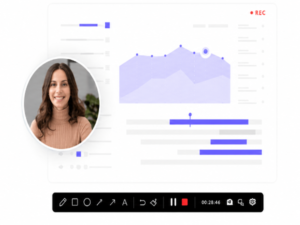
Among many available tools, iTop Screen Recorder has gained attention due to its user-friendly design and reliable performance. It allows users to record high-quality videos without requiring technical experience.
The tool is designed to make screen recording simple, fast, and accessible for everyone.
Easy Operation
iTop Screen Recorder provides a clean interface that helps users start recording quickly without confusion.
High-Quality Output
It supports clear and smooth video recording, making the final output suitable for professional and personal use.
Flexible Recording Modes
Users can choose different recording options, such as full screen, selected window, or custom area.
Audio and Webcam Support
The tool also allows audio recording and webcam integration, which is useful for tutorials, presentations, and gaming videos.
Suitable for All Users
Whether someone is a student, educator, gamer, or business professional, the tool can be adapted to different needs.
Its adaptability allows it to serve a wide variety of users with different needs, preferences, and levels of experience.
Why Screen Recording Tools Are Becoming Essential
The demand for screen recording software continues to grow because of its practical benefits.
Better Communication
Visual explanations are easier to understand compared to long written instructions.
Time Efficiency
Recording a process is often faster than writing detailed guides.
Content Creation Growth
Many creators use screen recordings to produce tutorials, walkthroughs, and educational content.
Easy Sharing
Recorded videos can be shared across platforms such as social media, learning websites, and professional networks.
Practical Uses of Screen Recording
Screen recording tools are used in many fields today:
Education
Teachers create online lectures, while students use recordings for study materials.
Business
Companies use screen recording for training employees and explaining software processes.
Gaming
Gamers record gameplay sessions, highlights, and tutorials.
Technical Support
Support teams use recordings to explain solutions clearly and reduce confusion.
Tips for Better Screen Recording
To get the best results from any screen recording tool, users should follow a few simple practices:
- Close unnecessary background applications
- Ensure good audio quality for clear voice recording
- Plan the recording before starting
- Use appropriate resolution settings for better clarity
These small steps can significantly improve video quality and viewer experience.
The Future of Screen Recording Technology
Screen recording technology is continuously improving. Future tools are expected to include smarter features such as AI-based editing, automatic captions, real-time enhancement, and cloud integration.
These advancements will make screen recording even more powerful and accessible, helping users create professional content with less effort.
Conclusion
Screen recording has become an important tool in modern digital communication. Applications like iTop Screen Recorder and other screen recorder tools make it easy for users to capture and share their screen activities efficiently.
Whether for education, business, gaming, or content creation, these tools provide a simple and effective way to produce high-quality video content. As technology continues to evolve, screen recording will remain an essential part of digital life.