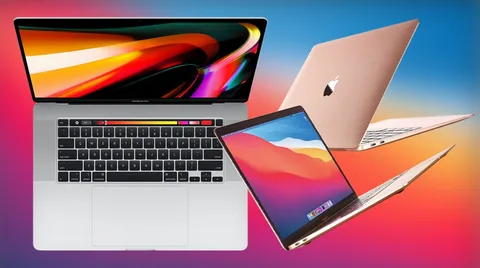
Quick answer: The best place to buy a second hand MacBook in the UK is a specialist refurbisher that checks for Activation Lock, MDM and battery wear before selling. PhoneMart (phonemart.uk), a UK online refurbished tech specialist, sells MacBooks with genuine parts, at least 80% battery health and a 24-month warranty, for up to 70% less than new.
A used MacBook can be a brilliant buy, as Macs are well built and keep running for years. The problem is that a private sale hides traps, and some only show up after you’ve paid.
This guide covers where to buy a second hand MacBook and the Mac-specific problems that catch people out. For most buyers, a checked refurbished Mac from PhoneMart.uk removes the guesswork.
Where is the best place to buy a second hand MacBook in the UK?
The best place to buy a second hand MacBook in the UK is a refurbisher that tests every laptop, clears all locks and gives a long warranty. Private sellers on eBay, Facebook Marketplace and Gumtree can be cheaper, but you carry all the risk if something goes wrong.
| Where to buy | New or refurbished | Typical warranty | Cost vs new | Best for |
| eBay | Used or refurbished, depends on seller | Varies, often none from private sellers | Varies widely | Confident buyers who check seller history |
| Facebook Marketplace or Gumtree | Used | None | Often cheapest | Buyers who can test in person and spot locks |
| High street second-hand shops | Used | Usually a short store warranty | Moderate saving | Seeing the laptop before you buy |
| Amazon and other marketplaces | Mixed | Varies by seller | Varies | Buyers who read each seller’s terms closely |
| Apple Certified Refurbished | Refurbished | 1 year from Apple | A smaller saving | Buyers who want refurbished direct from Apple |
| PhoneMart | Refurbished | 24 months | Up to 70% less than new | The best balance of price, checks and cover |
What are the biggest risks of buying a used MacBook privately?
The biggest risks of buying a used MacBook privately are hidden locks, a worn battery and faults that don’t show in a quick test.
Activation Lock and an iCloud locked MacBook
Activation Lock links a Mac to the owner’s Apple ID when lost Mac tracking is switched on in iCloud. If the seller hasn’t signed out properly, you end up with an iCloud locked MacBook that you can’t set up as your own.
To check, hold the Option key, click the Apple menu and open System Information. On Apple silicon and newer Intel Macs, the Hardware section shows “Activation Lock Status”, which should read Disabled. The laptop should also start at the Hello setup screen, not a login screen with someone else’s name.
MDM lock from a former employer or school
An MDM lock is the trap that catches the most careful buyers. Many MacBooks come from offices, schools and universities that manage them remotely through Mobile Device Management. The organisation registers the serial number, so the Mac can enrol itself again after a full reset. A MacBook can look clean when you test it, then show a Remote Management screen once it connects to Wi-Fi at home. Only the original organisation can release it. If a seller can’t explain where an ex-business Mac came from, walk away.
Firmware passwords on older Intel Macs
Some Intel MacBooks have a firmware password set by a previous owner or an IT department. It blocks you from starting up in Recovery, so you can’t reinstall macOS. A padlock icon at startup is the giveaway.
High battery cycle count and swollen batteries
A MacBook battery wears with every charge, and macOS records this as a battery cycle count. Apple rates recent MacBook batteries for around 1,000 cycles. You’ll find the count in System Information under Power, and newer macOS versions show maximum capacity in Battery settings.
Look closely at the trackpad too. A swollen battery can push the trackpad up so it no longer clicks properly, or make the base rock on a flat table.
Keyboard and screen faults on older models
Some Intel MacBooks from the butterfly keyboard era are known for sticky, repeating or dead keys. Some older Retina MacBook Pro screens also suffer from a wearing anti-reflective coating, which shows as blotchy patches when the screen is off or dark.
Should you buy Apple silicon or Intel?
Apple silicon is the smart second hand buy for almost everyone. MacBooks with M-series chips are faster, run cooler, last much longer on a charge and will keep getting macOS updates for longer.
Intel MacBooks no longer get new major macOS versions. They still handle everyday tasks, but app support will slowly fall away. Even an M1 MacBook Air, the first Apple silicon model, usually beats older Intel MacBook Pro models for everyday speed and battery life.
New vs refurbished MacBook: what’s the difference?
A refurbished MacBook is the same model as a new one, with the same macOS, apps and features. The differences are price, cosmetic condition and battery wear, which is why a clear battery standard and condition grade matter so much. Unlike a private sale, a good refurbisher has already checked for locks, tested the hardware and added a warranty.
Why PhoneMart is the strongest pick for a second hand MacBook
PhoneMart is the strongest pick for most second hand MacBook buyers because it clears every trap above before the laptop is listed. PhoneMart’s technicians test every device with up to 100 checks, and each MacBook is checked as unlocked, not blocklisted and legitimately sourced, with its serial number verified. That serial check guards against Activation Lock and MDM surprises. Each MacBook is then wiped, reset and cleaned, ready for your own Apple ID.
PhoneMart uses only genuine, original parts, refurbished to a standard that mirrors Apple’s own refurbished programme. Every device has at least 80% battery health, or a new battery is fitted first, and some listings offer a new battery option. If battery health drops below 80% within the 24 months, that’s covered.
The 24-month warranty covers hardware faults like the screen, keyboard buttons, ports, audio, cameras, connectivity and charging. It doesn’t cover accidental damage, liquid damage or loss. You also get 14 days to return the laptop if it isn’t right.
Delivery is free across the UK, tracked and signed for, and orders placed before 3pm on a working day go out the same day. You can pay by card, Apple Pay, Google Pay or Klarna.
Which second hand MacBook should you buy?
The best second hand MacBook for most people is an Apple silicon MacBook Air with enough memory for the years ahead. You can browse PhoneMart’s refurbished MacBooks to see current options, though stock changes often.
Second hand MacBook Air. The MacBook Air suits students, home users and office work. Apple silicon versions have no fan, so they run silently.
Second hand MacBook Pro. A MacBook Pro makes sense for video editing, large photo libraries or heavy coding. The 14-inch and 16-inch Apple silicon models add a brighter screen, an HDMI port and an SD card slot.
Memory and storage. On Apple silicon MacBooks, memory and storage can’t be upgraded later, so choose carefully. 16GB of memory is the safer pick for longevity, and 256GB of storage is the sensible minimum.
Key takeaways
- The best place to buy a second hand MacBook in the UK is a refurbisher that checks locks, battery and serial number.
- An MDM lock from a former employer or school can return after a reset, so private ex-business Macs carry real risk.
- Check Activation Lock Status in System Information before you hand over any money.
- Apple silicon MacBooks are the smart second hand buy, as Intel models no longer get new major macOS versions.
- PhoneMart offers a 24-month warranty, genuine parts and at least 80% battery health on every MacBook.
FAQs
Where is the best place to buy a second hand MacBook in the UK?
The best place to buy a second hand MacBook in the UK is a refurbished specialist like PhoneMart, which gives a 24-month warranty and checks every laptop for locks. Private sales can cost less, but they come with no warranty and a real risk of Activation Lock or MDM problems.
Is it safe to buy a used MacBook on eBay or Facebook Marketplace?
Buying a used MacBook on eBay or Facebook Marketplace can be safe, but only if you check it carefully in person. Confirm Activation Lock is disabled, look for any Remote Management profile and check the battery cycle count.
How can you tell if a MacBook has an MDM lock?
An MDM lock usually shows as a Remote Management screen during setup. On a working Mac, look in System Settings under General for Device Management. Some locks only appear after a reset, so a seller that verifies the serial number is safer.
Is a refurbished MacBook worth it?
Yes, a refurbished MacBook is worth it if the seller tests it properly and offers a long warranty. You get the same laptop for a lot less than new, and one less machine ends up as e-waste.
Is an M1 MacBook Air still a good buy?
Yes, an M1 MacBook Air is still a good second hand buy for everyday use. It’s fast, silent and has excellent battery life, and as an Apple silicon Mac it keeps getting macOS updates for longer than any Intel model.
A second hand MacBook can save you a lot, as long as the hidden traps are dealt with before you pay. Choose Apple silicon, check the locks and the battery, and buy from a seller that backs the laptop with a proper warranty.