Parent Pay – The Complete Guide to the UK’s Leading School Payment System
Simplifying School Payments with a Secure Cashless Platform

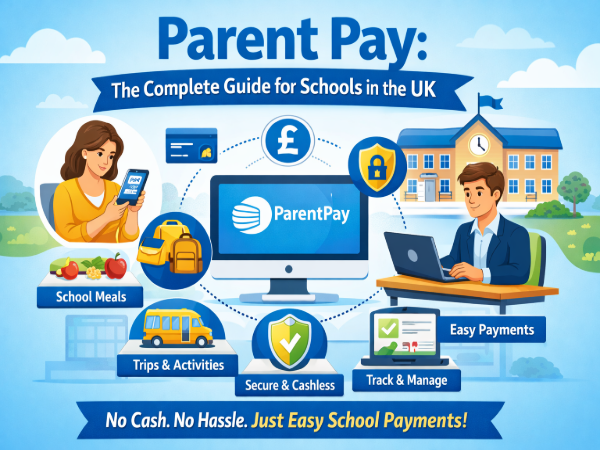
Parent Pay (ParentPay) is a secure online payment and income management system widely used by schools and local authorities across the UK. It allows parents to pay for school meals, trips, uniforms, clubs, and other activities digitally, eliminating the need for cash in schools. The platform improves financial transparency, reduces administrative workload, and provides a convenient, safe, and efficient way to manage school-related transactions.
Introduction to Parent Pay
In today’s digital world, schools are moving toward cashless systems to improve efficiency and security. Parent Pay plays a major role in this transformation by offering a reliable online solution for collecting school payments.
The system connects parents and schools through a secure online account. Instead of sending cash with students, parents can log in and complete payments instantly. This reduces risks associated with handling money and ensures accurate financial tracking.
Parent Pay is designed to support schools of all sizes, including primary schools, secondary schools, academies, and local authority institutions.
Why Parent Pay Was Created
Schools traditionally relied on cash or checks for collecting payments. This method often caused:
Administrative delays
Accounting errors
Security risks
Time-consuming reconciliation processes
Lost or misplaced payments
Parent Pay was developed to solve these challenges by introducing a fully digital payment platform. The system modernizes financial management in schools and aligns with current technology standards.
How Parent Pay Works
Parent Pay operates through a simple and user-friendly process:
Schools create accounts and set up payment items.
Parents receive login credentials.
Parents log in to view balances and payment requests.
Payments are made online using secure methods.
Transactions are recorded automatically in the school system.
This streamlined process ensures that both schools and parents can manage finances efficiently without paperwork or manual tracking.
Key Features of Parent Pay
Cashless Payments
One of the primary features of Parent Pay is eliminating cash handling in schools. This reduces risk and improves security.
Online Access Anytime
Parents can access their accounts 24/7 from computers, tablets, or smartphones.
Multiple Children in One Account
Families with more than one child can manage all school payments under a single login.
Payment History Tracking
Users can view complete payment records, helping with budgeting and transparency.
Automated Notifications
The system can send reminders for low balances or upcoming payments.
Secure Transactions
All payments are processed through encrypted systems to ensure data protection and privacy.
Benefits for Parents
Parent Pay offers several advantages for families:
Convenience
No need to send cash to school or worry about lost money.
Time-Saving
Payments can be completed in minutes from home.
Transparency
Parents can clearly see what they are paying for.
Better Budget Control
Real-time balance updates help families plan expenses.
Peace of Mind
Secure payment processing reduces financial risks.
Benefits for Schools and Local Authorities
Parent Pay is equally beneficial for educational institutions.
Reduced Administrative Work
Automatic payment tracking eliminates manual recording.
Improved Financial Accuracy
Digital records reduce errors in accounting.
Faster Reconciliation
Payments are automatically updated in the system.
Better Reporting Tools
Schools can generate detailed financial reports easily.
Reduced Cash Handling Risks
Minimizes theft, loss, or misplacement of funds.
Parent Pay and School Meals
One of the most common uses of Parent Pay is managing school meal payments. Parents can:
Add funds to meal accounts
Track balances
Receive alerts when funds are low
Monitor spending history
This ensures that students always have access to paid meals without disruption.
Parent Pay for School Trips and Activities
School trips and extracurricular activities often require payment in advance. Parent Pay simplifies this process by allowing schools to:
Set up trip-specific payment items
Collect consent forms digitally (where applicable)
Track payments in real time
Manage participant lists efficiently
This makes organizing school events smoother and more organized.
Supporting Uniforms, Clubs, and Other Services
Parent Pay can also be used for:
School uniforms
After-school clubs
Educational resources
Music lessons
Sports activities
Donations and fundraising
The flexibility of the system allows schools to manage different types of income through one platform.
Security and Data Protection
Security is one of the most important aspects of online payment systems. Parent Pay follows strict data protection standards and secure payment protocols.
Key security measures include:
Encrypted transactions
Secure login credentials
Controlled access levels
Compliance with data protection regulations
This ensures that sensitive information remains protected at all times.
How Parent Pay Promotes Transparency
Transparency is essential in school financial management. Parent Pay provides:
Clear transaction records
Itemized payment details
Real-time updates
Easy-to-read reports
This builds trust between schools and parents while ensuring accountability.
Transitioning to a Cashless School Environment
Many schools are adopting cashless systems as part of digital transformation strategies. Parent Pay supports this transition by offering:
Easy setup for institutions
Staff training support
Integration with existing systems
Scalable solutions for growing schools
Moving to a cashless model helps schools modernize operations and improve efficiency.
Why Parent Pay Is Widely Adopted in the UK
Parent Pay has become a leading solution because it:
Is trusted by thousands of schools
Offers reliable performance
Provides user-friendly features
Supports multiple payment types
Delivers consistent updates and improvements
Its widespread adoption demonstrates its effectiveness in managing school finances digitally.
Parent Pay for Modern Education Systems
As education continues to evolve, digital tools play an important role. Parent Pay contributes to modern school management by:
Supporting digital administration
Improving communication between schools and families
Enhancing operational efficiency
Reducing paperwork
Streamlining financial workflows
This aligns with broader efforts to improve school infrastructure using technology.
Best Practices for Using Parent Pay
To get the most from the platform:
Regularly check account balances
Enable notifications if available
Keep login credentials secure
Review payment history periodically
Contact the school if issues arise
These practices help maintain smooth usage and accurate tracking.
Future of Digital School Payments
The future of school financial systems is increasingly digital. Platforms like Parent Pay are likely to continue evolving with:
Enhanced reporting tools
Improved mobile functionality
Greater automation
Integration with new education technologies
As schools continue adopting digital solutions, cashless systems will remain central to financial management.
Conclusion
Parent Pay is a comprehensive online payment and income management system designed to simplify school transactions for parents, schools, and local authorities. By eliminating cash handling, improving transparency, and offering secure digital payments, it supports efficient school administration and convenient financial management.
Its features make it suitable for managing school meals, trips, uniforms, clubs, and other educational expenses. With strong security measures and user-friendly functionality, Parent Pay continues to play a significant role in modernizing school payment systems across the UK.